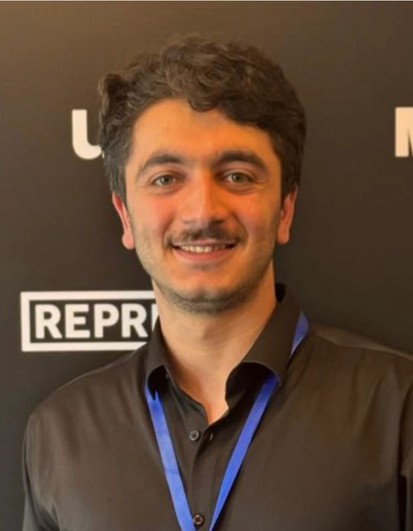
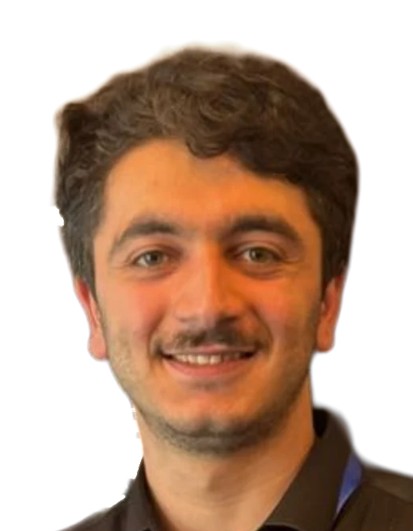
Visa and ID photos from a phone picture
You don't need a photo booth or a studio appointment for a passport photo. Take an ordinary picture with your phone, upload it and the tool does the fiddly part: it finds your face, removes the background, levels the head and crops the photo so your head is the right size and in the right place for the format you chose. You only check the result.
The process has three steps. Choose the format, upload or take the photo, then look at the preview. While it works, the tool measures the face and flags common problems: eyes that look closed, a turned head, a big smile, shoulders or the top of the head cut off, or a picture with too little resolution. If it finds two people or no face at all, it asks for a different photo. Fixing these before you print saves a trip back to the post office.
If the automatic crop needs a nudge, you can make the head slightly larger or smaller, move it up, down, left or right, straighten it and adjust the brightness. The background can be white, light grey or light blue, depending on what your application asks for.
Which countries and documents it suits
Sizes differ between countries, so start with the one you need. The tool covers two formats where a photo with a replaced background is commonly used:
- 35 × 45 mm: Schengen visas and other visas that follow the ICAO standard.
- 30 × 40 mm: job applications, diplomas, student cards and other documents that ask for a smaller ID photo.
The rules inside the frame matter as much as the size. Schengen consulates usually follow the ICAO guidance, where the face fills roughly 70 to 80 percent of the photo height, and the tool sizes the head to that. Some offices do not accept a photo whose background was changed by software at all: the US (passport, visa and the DV lottery), the UK and Canada. This tool does not offer those formats; for them, use a photographer or an unedited photo against a plain white wall. Correct measurements are never a guarantee of acceptance, so check the office's rules before you apply.
Files you get: JPG, photo sheet and A4 PDF
Every format is saved at 300 dpi, so it stays sharp when printed. You get three kinds of file:
- A single photo as a JPG, for online forms that accept an edited photo (check the office’s rules first).
- A 10 × 15 cm (4 × 6 inch) photo sheet with several copies, which any photo lab or pharmacy photo counter can print.
- An A4 PDF to print at home on an ordinary printer. Print it at 100% scale, not “fit to page”, or the photos will shrink.
One purchase unlocks every size and background for the same photo. Need a visa photo today and a 30 × 40 mm photo for a job file next week? Switch the format and download again, with no extra charge.
Taking the photo at home
The background is replaced for you, so the room behind you doesn't matter much. Light, angle and expression do, because no software can fix a shadow across half your face.
- Face a window in daylight so the light is even and no shadows fall on your face. Evening lamps make skin look yellow and patchy.
- Ask someone to take the photo from about 1 to 1.5 metres away with the camera at eye level. Selfies distort the face: the nose looks bigger and the shoulders tilt.
- Look straight at the camera with a neutral face, mouth closed and both eyes open.
- Keep hair off your eyes and the edges of your face, and leave space above your head and below your shoulders.
- Take the glasses off. Many countries only allow them with no glare or tint, and some do not allow them at all.
Take a few shots and upload the clearest one. A sharp, evenly lit phone photo works better than a dim one taken with an expensive camera.
Babies and children
The same rules apply to children, but officials are usually more flexible with babies. Lay a newborn on a plain sheet and photograph from above, or hold the child with your hands out of the frame. The background is removed either way, so a plain sheet just makes the cutout cleaner.
Common reasons a photo gets rejected
Most rejections come down to the same few things: shadows on the face or background, a tilted head, poor focus, glasses with glare, an open-mouthed smile, or a photo that has been edited with filters. Wrong size or head proportion is the other big reason, which is exactly what the tool takes care of.
Requirements also change between countries and sometimes between offices, so read the official rules for your application before you print. If they ask for something different, such as a light grey background, change it in the editor and download again. If the photo itself is the problem, retake it using the tips above.
Free preview and privacy
You see the finished photo before you pay. The watermark appears only on the preview, not in your files, and you pay only when you download. Prices are on the pricing page. See pricing.
Your photo is stored only in your account and is deleted automatically after 60 days. The same photo works for a passport, a visa, an ID card, a student card or a job application, and it can go on your resume too.
Questions and answers about this tool →